
More orders, less waiting

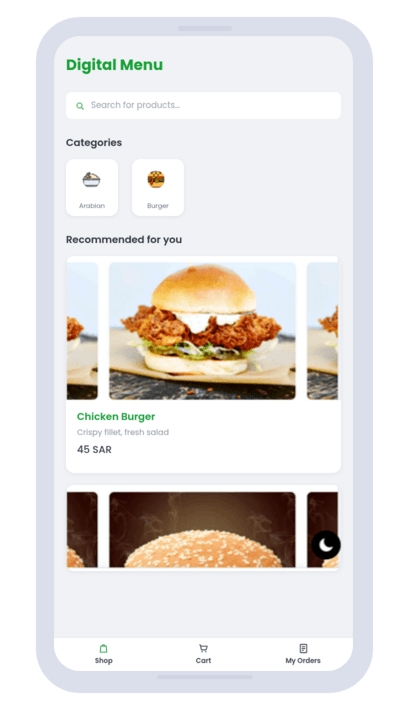
Your guests scan the QR code at the table, browse your digital menu, and order in seconds — and the order reaches your kitchen right away. Change prices and dishes whenever you like, with nothing to reprint.

Digital Menu

Why a contactless menu?

services icon
Safety First

Guests browse and order from their own phone, so there are no shared menus to hand out, wipe down, or reprint.

services icon
No App Download Required

Your diners simply scan the QR Code with their phone camera — no app, no sign-up.

services icon
Easy to build & update

Build a contactless menu in under 3 minutes, then update it any time — the same QR Code keeps working.
services icon
Faster tables, fewer mistakes

Orders travel straight from the table to your kitchen — nothing misheard, and no one waiting for a server to come back.

Digital Menu

Benefits of a contactless menu

Safer to use

Germ-free, greener, quicker and safer than the traditional menu.

Hygiene Compliant

Meet hygiene requirements without single-use paper menus or disinfectant.

Easy to update

Use the menu builder to instantly change your menu. No re-prints!
See a demo menu

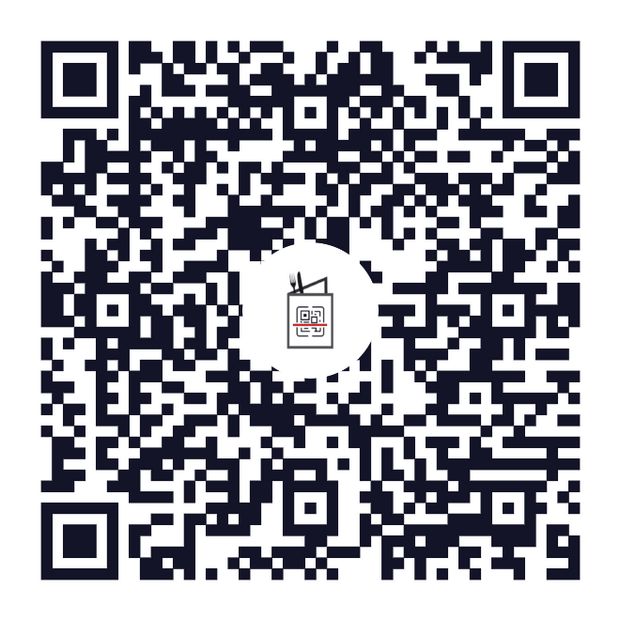
1. Scan the code with your phone camera — no app needed.
2. Browse the categories and add items to your order.
3. The order reaches the kitchen the moment you send it.

Open the demo menu

Why restaurants choose Digital Menu

What actually changes on day one.

3 minutes
to publish your first menu

Sign up, add your dishes, print the code.

0 SAR
spent on reprinting

The same code works after every edit.

No app
for your guests to install

The phone camera opens it in the browser.

2 languages
Arabic and English

Full RTL, not a translation bolt-on.

How It Works

STEP
01
Register

Create Account to get started.

STEP
02
Create Menu

Create your menu visible for your customers.
STEP
03
Print QR Code

Put the printed tags on your tables.

STEP
04
Receive Orders

When they order something, you get notified instantly!

Watch How It Works

A two-minute look at how guests scan, browse and order — and how the order reaches your kitchen.

Frequently asked questions

Everything restaurant owners ask us before they start.
Do my guests need to install an app?
No. They point the phone camera at the QR code and the menu opens in the browser. There is nothing to download, no account to create, and it works the same on iPhone and Android.
What happens to my printed codes when I change a price?
Nothing — you never reprint. The QR code points at your menu, not at a fixed copy of it, so any edit you save is live the next time somebody scans.
Can I run the menu in Arabic and English?
Yes, both are included on every plan. Guests switch language inside the menu, and the whole layout flips to right-to-left for Arabic rather than just swapping words.
How do orders reach my kitchen?
The moment a guest sends an order it appears in your dashboard, with the table number attached. You can keep the dashboard open on a tablet in the kitchen or on the counter.
Do I need special hardware?
No. Any device with a browser works — a phone, a tablet or the computer you already have. The only thing you print is the QR codes for the tables.
Can I use it across more than one branch?
Yes, on the Business plan. Each branch gets its own menu and its own codes, and you see all of them from one dashboard.
How do I get paid for the orders?
Orders are placed through the menu and settled with you as usual — cash or card at the table. Online card payment can be switched on later once you connect a payment provider.
What if I need help setting it up?
Message us on WhatsApp and we will build the first version of your menu with you. Most restaurants are live the same day.
Digital Menu

Digital Menu — the smart choice

Your team spends less time writing down orders and more time serving your guests, because the order goes from the table straight to the kitchen. Scan the code, browse the menu, and order in seconds.

Get started now
Chat on WhatsApp